GNU Command
$setterm
setterm: Argument error.

Usage:
 setterm [options]

Options:
 -term
 -reset
 -initialize
 -cursor
 -repeat
 -appcursorkeys
 -linewrap
 -default
 -foreground
 -background
 -ulcolor
 -ulcolor
 -hbcolor
 -hbcolor
 -inversescreen
 -bold
 -half-bright
 -blink
 -reverse
 -underline
 -store >
 -clear
 -tabs       (tabn = 1-160)
 -clrtabs    (tabn = 1-160)
 -regtabs
 -blank
 -dump
 -append
 -file dumpfilename
 -msg
 -msglevel
 -powersave
 -powerdown
 -blength
 -bfreq freqnumber
 -version
 -help

For more information see lsblk(1).
$

setterm sets terminal attributes.

Explanation

-cursor [on|off]
Turns the terminal's cursor on or off.

Related Source Code Exposition

        if (opt_cursor) {
                if (opt_cu_on)
                        putp(ti_entry("cnorm"));
                else
                        putp(ti_entry("civis"));
        }

Source Code Highlight
 -cursor [on|off].

Featured Image
FIXME

General Knowledge

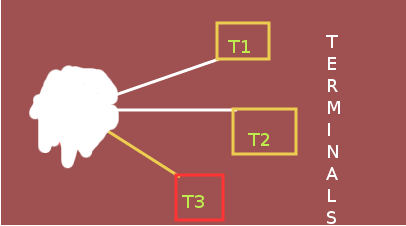
A  terminal consists of  a screen  and keyboard  that one
uses  to  communicate   remotely  with  a  computer  (the
host). One uses it almost like it was a personal computer
but the terminal is remote from its host computer that it
communicates with (on the other  side of the room or even
on the other side of  the world). Programs execute on the
host  computer but  the results  display on  the terminal
screen.  Originally  terminals  were stand-alone  devices
with  no computational  ability and  thus they  were once
much cheaper in cost than computers. They had no pictures
or  audio, but  could  only display  text  and were  thus
called "text terminals". Today,  the cost of PC computers
is so low  that one may use a PC like  a text terminal by
running a software program to  make it behave like an old
text terminal. You formerly  found real text terminals at
libraries and schools.
BEAUTY AND PLAY