Code: 0f 0b 68 6e ff 37 80 c2 ed 01 48 c7 c6 ff ff ff ff bf 20 00
RIP {page_remove_rmap+129} RSP
Fixing recursive fault but reboot is needed!
link : https://bugzilla.redhat.com/show_bug.cgi?id=185481
BEAUTY AND PLAY
Code: 0f 0b 68 6e ff 37 80 c2 ed 01 48 c7 c6 ff ff ff ff bf 20 00
RIP {page_remove_rmap+129} RSP
Fixing recursive fault but reboot is needed!
link : https://bugzilla.redhat.com/show_bug.cgi?id=185481
 error/log/trace Clipping

[11.588285] [<ffffffff815d1e45] panic+0xad/0x27c
mount_block_root
prepare_namespace
kernel_init
kernel_thread
? retint_restore_args
? start_kernel
? gs_change

Kernel Panic - not syncing
VFS : unable to mount root fs
on unknown_block(8,1)
link : http://kerneltrap.org/node/2318
$wget http://www.kernel.org/pub/linux/kernel/v3.0/patch-3.0.4.bz2
--2011-09-03 19:22:43--  http://www.kernel.org/pub/linux/kernel/v3.0/patch-3.0.4.bz2
Resolving www.kernel.org... 130.239.17.5, 149.20.4.69, 199.6.1.165, ...
Connecting to www.kernel.org|130.239.17.5|:80... connected.
HTTP request sent, awaiting response... 200 OK
Length: 96120 (94K) [application/x-bzip2]
Saving to: `patch-3.0.4.bz2'

100%[===================================================================================>] 96,120      85.3K/s   in 1.1s

2011-09-03 19:22:45 (85.3 KB/s) - `patch-3.0.4.bz2' saved [96120/96120]

$bunzip2 patch-3.0.4.bz2
$ls patch-3.0.4
patch-3.0.4
$
bzip2  compresses files  using the  Burrows-Wheeler block
sorting text  compression algorithm, and  Huffman coding.
Compression  is generally  considerably better  than that
achieved    by    more    conventional    LZ77/LZ78-based
compressors,  and approaches the  performance of  the PPM
family of statistical compressors.
for (t = 0; t < nGroups; t++) {

         minLen = 32;

         maxLen = 0;

         for (i = 0; i len[t][i] > maxLen) maxLen = s->len[t][i];

            if (s->len[t][i] len[t][i];

         }

         BZ2_hbCreateDecodeTables (

            &(s->limit[t][0]),

            &(s->base[t][0]),

            &(s->perm[t][0]),

            &(s->len[t][0]),

            minLen, maxLen, alphaSize

         );

         s->minLens[t] = minLen;

      }
Create the Huffman decoding tables
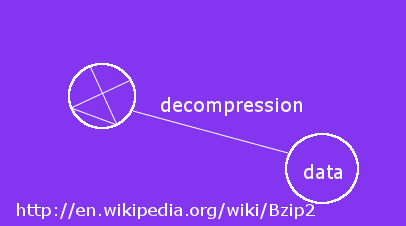
bzip2  expects a  list  of file  names  to accompany  the
command-line   flags.   Each  file   is  replaced   by  a
compressed   version    of   itself,   with    the   name
"original_name.bz2".  Each  compressed file has  the same
modification  date,   permissions,  and,  when  possible,
ownership  as the corresponding  original, so  that these
properties  can be  correctly  restored at  decompression
time.   File name  handling is  naive in  the  sense that
there is no mechanism for preserving original file names,
permissions,  ownerships or  dates  in filesystems  which
lack  these concepts,  or have  serious file  name length
restrictions, such as MS-DOS.

source : debian manual pages for bzip2
1. Download the source code.
kernel 3.0.4
2. Unompress and open the archive.
bunzip2 linux-3.0.4.tar.bz2
tar -xvvf linux-3.0.4.tar
3. cd linux-3.0.4
4. Read the README File.
5. make allmodconfig

To be continued....
$perl scalar.pl
The variable $fred contains Fred here.
Sum is 66.
$cat scalar.pl
$fred = "Fred here";
$barney = 56;
$sum = 10 + $barney;
print 'The variable $fred' . " contains $fred.\n";
print "Sum is $sum.\n";

$cat scalar.pl
$fred = "Fred here";
$barney = 56;
$sum = 10 + $barney;
print 'The variable $fred.' . " contains $fred.\n";
print "Sum is $sum.\n";

$perl scalar.pl
The variable $fred. contains Fred here.
Sum is 66.
$cat scalar.pl
$fred = "Fred here";
$barney = 56;
$sum = 10 + $barney;
print "The variable $fred." . " contains $fred.\n";
print "Sum is $sum.\n";

$perl scalar.pl
The variable Fred here. contains Fred here.
Sum is 66.
$
Various operations on scalar (string) variables.
source: http://sandbox.mc.edu/~bennet/perl/leccode/var1_pl.html
The   Hypertext   Transfer    Protocol   (HTTP)   is   an
application-level      protocol      for     distributed,
collaborative,  hypermedia information  systems. It  is a
generic, stateless,  protocol which can be  used for many
tasks beyond its use  for hypertext, such as name servers
and   distributed  object  management   systems,  through
extension  of  its   request  methods,  error  codes  and
headers. A feature of  HTTP is the typing and negotiation
of  data  representation, allowing  systems  to be  built
independently of the data being transferred.
source : http://www.w3.org/Protocols/Specs.html
$httperf --hog --server www.youtube.com
httperf --hog --client=0/1 --server=www.youtube.com --port=80 --uri=/ --send-buffer=4096 --recv-buffer=16384 --num-conns=1 --num-calls=1
Maximum connect burst length: 0

Total: connections 1 requests 1 replies 1 test-duration 0.787 s

Connection rate: 1.3 conn/s (787.4 ms/conn, <=1 concurrent connections)
Connection time [ms]: min 787.4 avg 787.4 max 787.4 median 787.5 stddev 0.0
Connection time [ms]: connect 33.0
Connection length [replies/conn]: 1.000

Request rate: 1.3 req/s (787.4 ms/req)
Request size [B]: 68.0

Reply rate [replies/s]: min 0.0 avg 0.0 max 0.0 stddev 0.0 (0 samples)
Reply time [ms]: response 326.2 transfer 428.2
Reply size [B]: header 576.0 content 114914.0 footer 2.0 (total 115492.0)
Reply status: 1xx=0 2xx=1 3xx=0 4xx=0 5xx=0

CPU time [s]: user 0.32 system 0.16 (user 40.1% system 19.8% total 59.9%)
Net I/O: 143.3 KB/s (1.2*10^6 bps)

Errors: total 0 client-timo 0 socket-timo 0 connrefused 0 connreset 0
Errors: fd-unavail 0 addrunavail 0 ftab-full 0 other 0
$
$httperf --hog --server www.beautifulwork.org
httperf --hog --client=0/1 --server=www.beautifulwork.org --port=80 --uri=/ --send-buffer=4096 --recv-buffer=16384 --num-conns=1 --num-calls=1
Maximum connect burst length: 0

Total: connections 1 requests 1 replies 1 test-duration 0.818 s

Connection rate: 1.2 conn/s (818.4 ms/conn, <=1 concurrent connections)
Connection time [ms]: min 818.4 avg 818.4 max 818.4 median 818.5 stddev 0.0
Connection time [ms]: connect 60.2
Connection length [replies/conn]: 1.000

Request rate: 1.2 req/s (818.4 ms/req)
Request size [B]: 74.0

Reply rate [replies/s]: min 0.0 avg 0.0 max 0.0 stddev 0.0 (0 samples)
Reply time [ms]: response 322.8 transfer 435.5
Reply size [B]: header 338.0 content 40114.0 footer 2.0 (total 40454.0)
Reply status: 1xx=0 2xx=1 3xx=0 4xx=0 5xx=0

CPU time [s]: user 0.34 system 0.18 (user 42.0% system 21.5% total 63.5%)
Net I/O: 48.4 KB/s (0.4*10^6 bps)

Errors: total 0 client-timo 0 socket-timo 0 connrefused 0 connreset 0
Errors: fd-unavail 0 addrunavail 0 ftab-full 0 other 0
$
httperf is a tool  to measure web server performance.  It
speaks  the  HTTP  protocol  both  in  its  HTTP/1.0  and
HTTP/1.1  flavors  and   offers  a  variety  of  workload
generators.  While running, it keeps track of a number of
performance metrics  that are  summarized in the  form of
statistics that  are printed  at the end  of a  test run.
The  most basic  operation of  httperf is  to  generate a
fixed number of HTTP GET requests and to measure how many
replies (responses) came back from the server and at what
rate the responses arrived.
1. apt-get install apache2
2. apt-get install libapache2-mod-perl2
3. apt-get install libapache2-mod-mono
1. /etc/apache2/sites-available/
2. a2ensite default
3. mkdir -p /srv/www/default/public_html
4. mkdir /srv/www/default/logs
5. put a sample .aspx file in "/srv/www/default/public_html"
6. /etc/init.d/apache2 restart
1. Browser URL --- 127.0.0.1/<your .aspx file>
$perl hello-again.pl
Greetings, small planet \nWhat's cooking?
$cat hello-again.pl
print 'Greetings, small planet \n';
print "What's cooking?\n";

$
Shows how single quotes differ from double quotes
in hello-again.pl
source : http://sandbox.mc.edu/~bennet/perl/leccode/index.html
source : http://www.w3schools.com/asp/default.asp